Tool Spotlight: Caido, The Rust-Powered Web Proxy
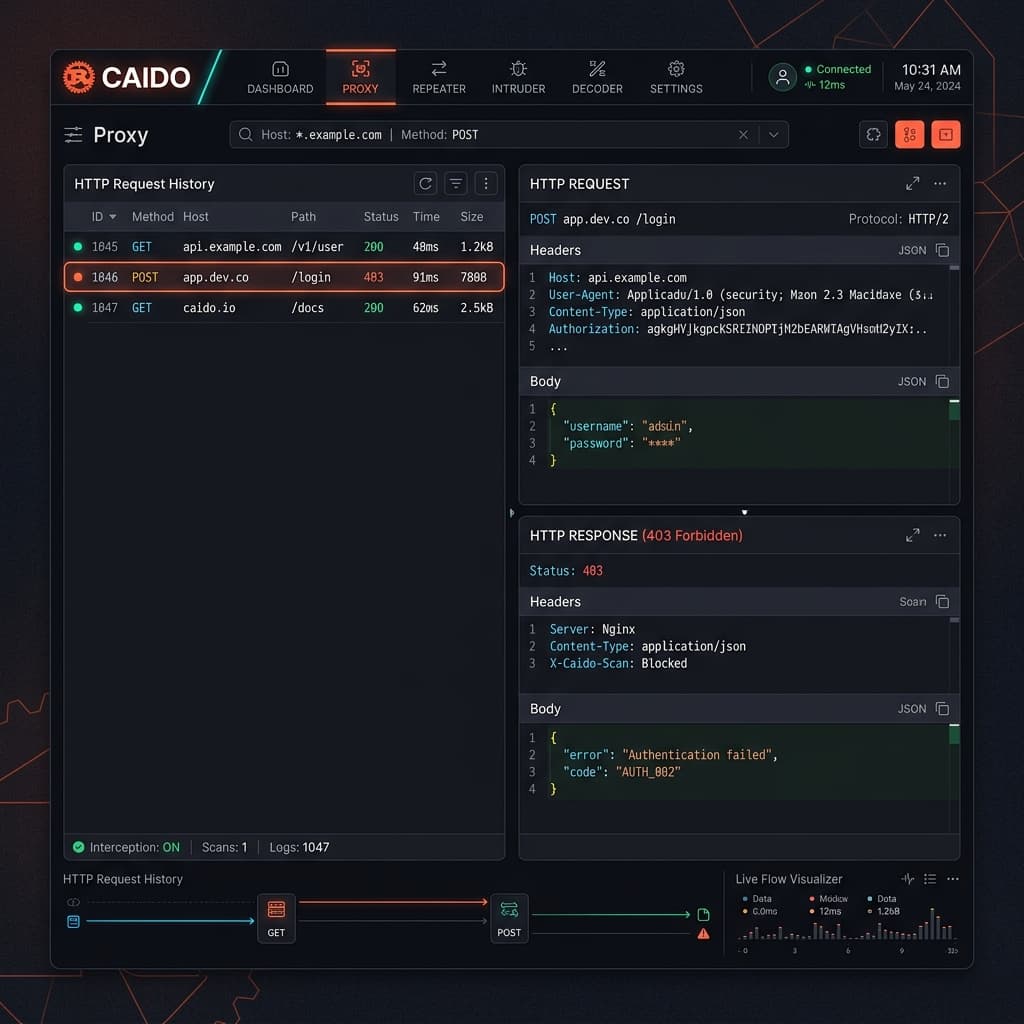

Imagine you're the on-call engineer doing an emergency audit, or a bug bounty hunter firing up your toolkit on a 4GB RAM travel laptop. You launch your heavy Java-based proxy, and your machine instantly starts gasping for air. The fans spin up, the UI stutters, and battery life plummets.
This performance bottleneck is exactly why Caido was built. It is a lightweight web proxy written entirely in Rust, designed to intercept, modify, and analyze web traffic with extreme efficiency.
The Problem Caido Solves
For years, the industry standard for web interception has been Burp Suite. While incredibly powerful, Java-based tools come with a notorious appetite for memory and CPU. If you have ever tried to sift through thousands of websocket messages or run intense automation scans, you know how quickly things can grind to a halt.
Caido approaches the problem with a modern, systems-level architecture. Because it is built in Rust, memory management is highly optimized. It idles at a fraction of the RAM required by traditional proxies and handles large traffic state files smoothly.
 A typical web interception workflow routing browser traffic through the Caido local proxy.
Where It Fits in a Workflow
Caido sits directly between your web browser and the target server. In a typical authorized testing scenario (like evaluating a client's staging environment or hunting on a valid HackerOne program), you configure your browser to route HTTP/S traffic through Caido's local listener port.
This gives you total control over the request-response cycle. You can intercept traffic, manually manipulate headers, fuzz parameters for vulnerabilities like SQLi or XSS, and replay requests without reloading the page.
Installation and Setup
Getting started is refreshingly simple. Download the binary for your OS from the official GitHub releases or the main site.
Once installed, you can start the proxy via the command line. Caido runs as a background daemon and serves its sleek interface via a local web server.
# Start the Caido proxy daemon on the default port
./caido --listen 127.0.0.1:8080

# For a headless remote VPS setup, bind it safely (requires authentication setup)
./caido --listen 0.0.0.0:8080 --no-ui
Once running, navigate to http://127.0.0.1:8080 in your browser. The initial setup will prompt you to create an admin account for the local instance, ensuring no one else on your local network can access your intercepted data.
Realistic Usage Example: Testing for IDOR
Let's walk through a realistic, authorized testing scenario. Suppose you are auditing an internal web application (e.g., http://10.10.10.50) and want to test for Insecure Direct Object Reference (IDOR).
First, you intercept the request to fetch your own user profile:
GET /api/v1/users/704 HTTP/1.1
Host: 10.10.10.50
Authorization: Bearer eyJhb...
Instead of sending it straight through, you send the request to Caido's Replay tab. You manually modify the ID from 704 to 705 and hit send.
GET /api/v1/users/705 HTTP/1.1
Host: 10.10.10.50
Authorization: Bearer eyJhb...
If the server responds with a 200 OK and returns User 705's private data, you have successfully confirmed the IDOR vulnerability. Caido's Replay interface makes these rapid-fire manual tests incredibly fast, with keyboard shortcuts that feel natural to modern developers.
 Caido's core features focus on speed, automation, and precise request manipulation.
Strengths and Limitations
Strengths:
- Speed and Efficiency: Rust ensures it sips battery and RAM, making it perfect for lightweight setups or VPS deployments.
- Collaborative Workspaces: You can create separate projects with isolated databases, keeping different bug bounty scopes cleanly separated.
- Modern UI: The interface is snappy and built with modern web tech, avoiding the clunky feel of legacy Java applications.
Limitations:
- Maturity Check: Caido is still actively developing. It lacks the massive, decade-old ecosystem of third-party extensions that tools like Burp Suite possess (specifically the BApp Store).
- Advanced Automation: While Caido has an "Automate" tab, complex multi-step fuzzing currently requires more manual configuration compared to established enterprise tools.
Alternatives
If Caido doesn't fit your exact needs, consider these alternatives:
- Burp Suite Community/Professional: The undisputed heavyweight champion. Resource intensive, but feature-complete with an unmatched extension ecosystem.
- OWASP ZAP: The best fully open-source alternative. Excellent for automated CI/CD scanning, though the UI can be daunting.
- MITMProxy: A terminal-based python proxy. Fantastic if you prefer working entirely from the CLI and writing custom python scripts for interception.
The Verdict
If you are a student exploring Ethical Hacking or an experienced hunter tired of laptop jet-engine noises, Caido is absolutely worth adding to your arsenal. It is fast, focused, and rapidly improving.
While it may not completely replace the heavy enterprise tools for massive, automated vulnerability assessments just yet, it is the perfect daily driver for manual API testing and focused bug bounty hunting. Keep an eye on their changelog—this tool is moving fast.
References / Further reading
- Caido Official Website
- Caido Documentation & Setup Guide
- HackerOne Bug Bounty Platform
- OWASP Top 10 - Insecure Direct Object References (IDOR)